
グラフを描く時によく使う設定 #
好みもあるので,各自調整するとよい
2025/12/31 更新
import matplotlib.pyplot as plt

# ---------- rcParams
rcParams_dict = {
    # ---------- figure
    'figure.figsize': (8, 6),
    'figure.dpi': 120,
    'figure.facecolor': 'white',
    # ---------- axes
    'axes.grid': True,
    'axes.linewidth': 1.5,
    'axes.labelsize': 20,
    # ---------- ticks
    'xtick.direction': 'in',
    'ytick.direction': 'in',
    'xtick.major.width': 1.0,
    'ytick.major.width': 1.0,
    'xtick.major.size': 8.0,
    'ytick.major.size': 8.0,
    'xtick.labelsize': 16,
    'ytick.labelsize': 16,
    # ---------- lines
    'lines.linewidth': 2.0,
    'lines.markersize': 10,
    # ---------- grid
    'grid.linestyle': ':',
    # ---------- legend
    'legend.fontsize': 20,
    # ---------- other fonts
    'font.size': 20,
    'font.family': 'sans-serif',
    'font.sans-serif': ['Helvetica Neue', 'Arial', 'Liberation Sans', 'DejaVu Sans', 'sans'],
    'mathtext.fontset': 'cm',    # use together with svg.fonttype='path'
    #'mathtext.fontset': 'stix',
    'svg.fonttype': 'path',  # Embed characters as paths
    #'svg.fonttype': 'none',  # Assume fonts are installed on the machine
    'pdf.fonttype': 42,  # embed fonts in PDF using type42 (True type)
    # ---------- save
    'savefig.bbox': 'tight',
    'savefig.pad_inches': 0.05,
}
plt.rcParams.update(rcParams_dict)- ‘Helvetica Neue’, ‘Arial’, ‘Liberation Sans’, ‘DejaVu Sans’, ‘sans’ ←左から優先.sans serif系にしている.
- 数式:cmフォント.(少し古い)latexの数式で使われていて見た目は綺麗.しかしモダンなフォントではないのでsvgと相性が悪い.
'svg.fonttype': 'path'とすることで,文字ではなくpathで保存している.文字として保存したければ,'mathtext.fontset': 'stix'と'svg.fonttype': 'none'を組み合わせると良いが,stixは一部フォントがイマイチ.
プロット例 #
ここでは,plt.plot() のような書き方ではなく fig, ax = plt.subplots(1, 1) のようなオブジェクト指向インターフェースを使用.こちらの書き方に慣れた方が細かい設定ができて便利.
図のサイズを変えたければ fig, ax = plt.subplots(1, 1, figsize=(8, 8)) のようにしてサイズ指定することもできる.
fig, ax = plt.subplots(1, 1)
ax.plot([1, 2 ,3, 4], label='$y = x$')
ax.set_xlabel('test $x$')
ax.set_ylabel('test $y$')
ax.legend()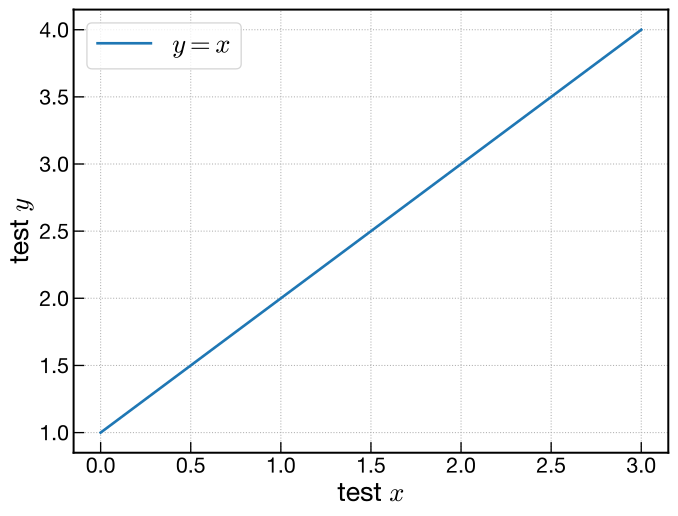
保存 #
# ---------- save figure
fig.savefig('fig.svg')    # SVG
#fig.savefig('fig.pdf')    # PDF
#fig.savefig('fig.png')    # PNG
#fig.savefig('fig.png', dpi=300) # high dpi PNG- 最初の設定で
plt.rcParams['figure.facecolor'] = 'white'としているので背景は白. これがない場合はグラフ領域外(軸とか軸ラベルの部分)は無色透明になる. - svgでは
'svg.fonttype': 'path'にしてpathにして形状だけを保存するようにしているので,フォントが入ってないPCでも表示が崩れない. - pdfで保存するときも上記で
'pdf.fonttype': 42のように設定しているので,フォントが埋め込まれて見た目が崩れない.ただしsvgより多少ファイルサイズが大きくなり,再編集には不向き.